How do I design a Uniform?
The Configurator allows you to customize and design your own uniforms for your organizations.
Find the step-by-step design process below:
- From the home page, choose your sport and gender
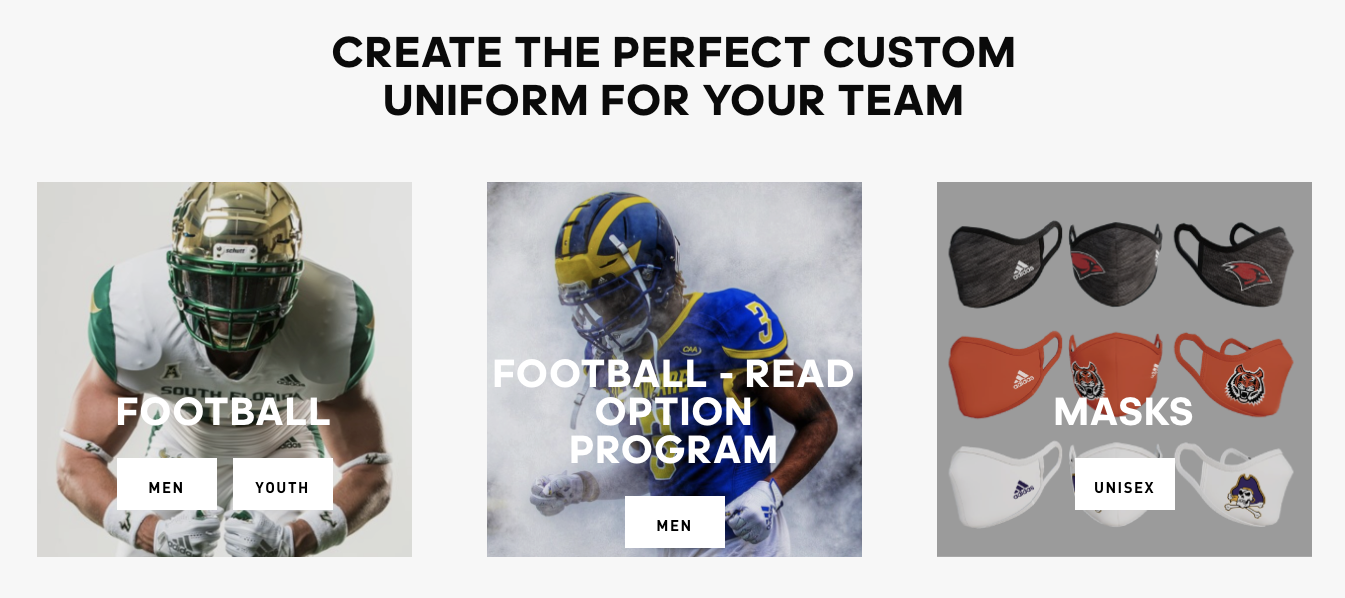
- Select your Style
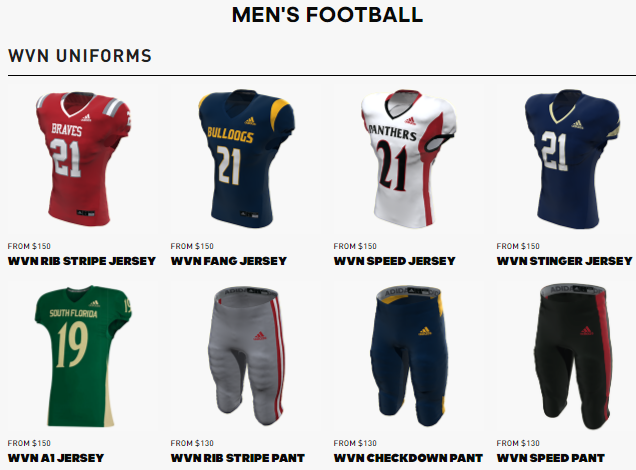
- Customize your uniform
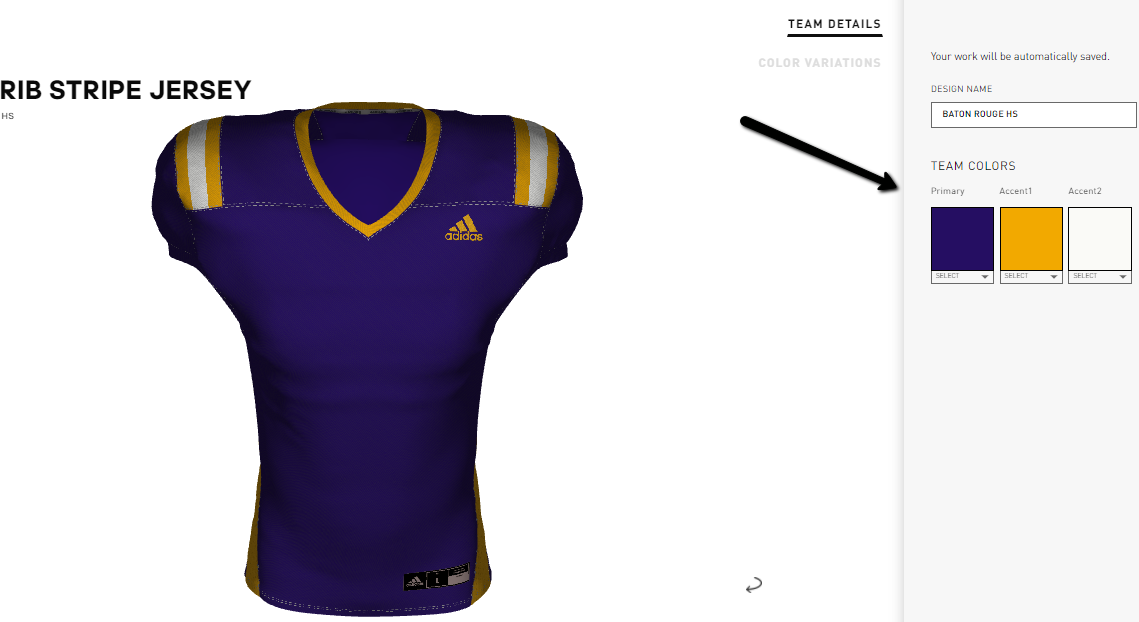
- Enter your design name.
- Verify your team’s colors (up to 3 colors, established when school was registered to use the system)
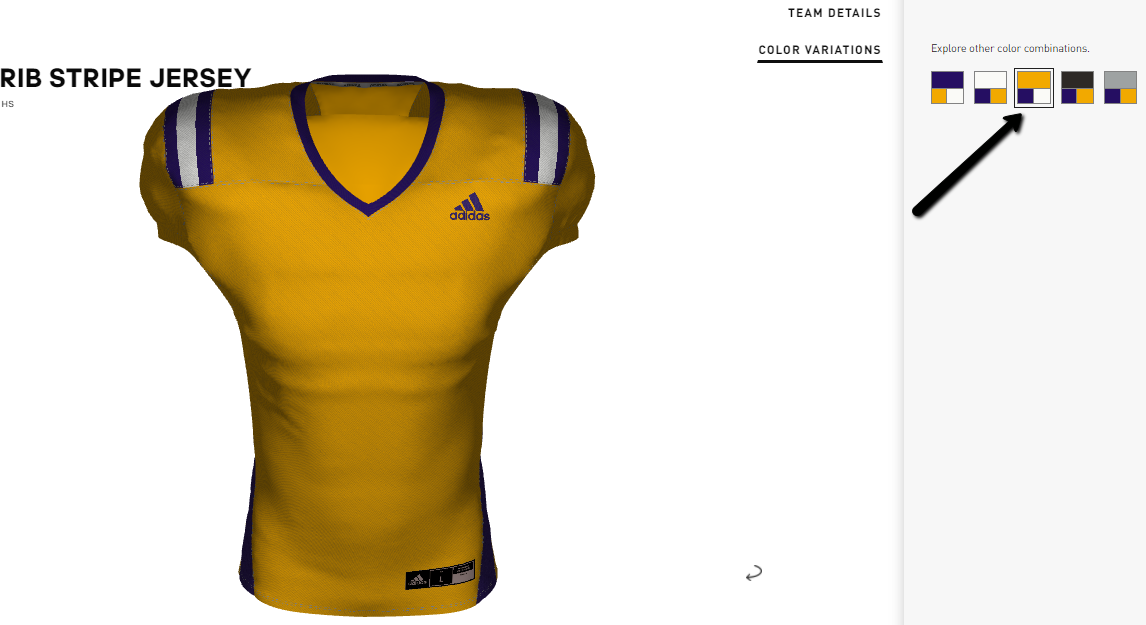
- Explore additional colorway combinations by clicking NEXT and make your jersey color variation selection.
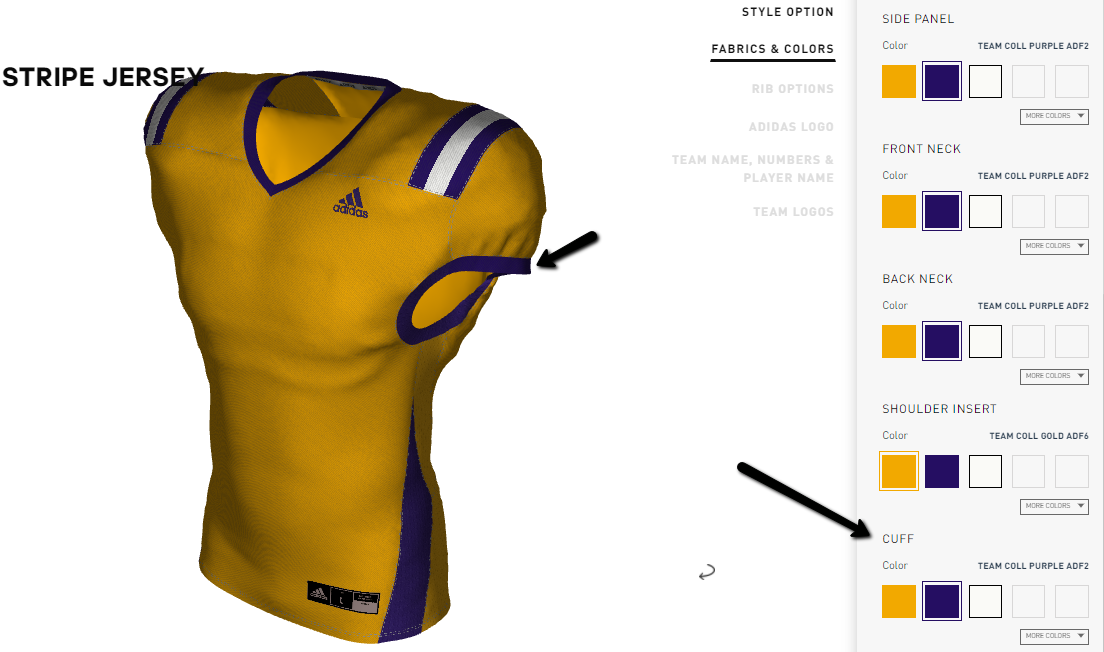
Next, you will have the chance to change the colors of various parts of a given uniform. In this example, say you wanted to change the sleeve cuffs from Team Coll Gold to Team Coll Purple. Simply locate the “CUFF” section of Fabrics and Colors and change the color selection.
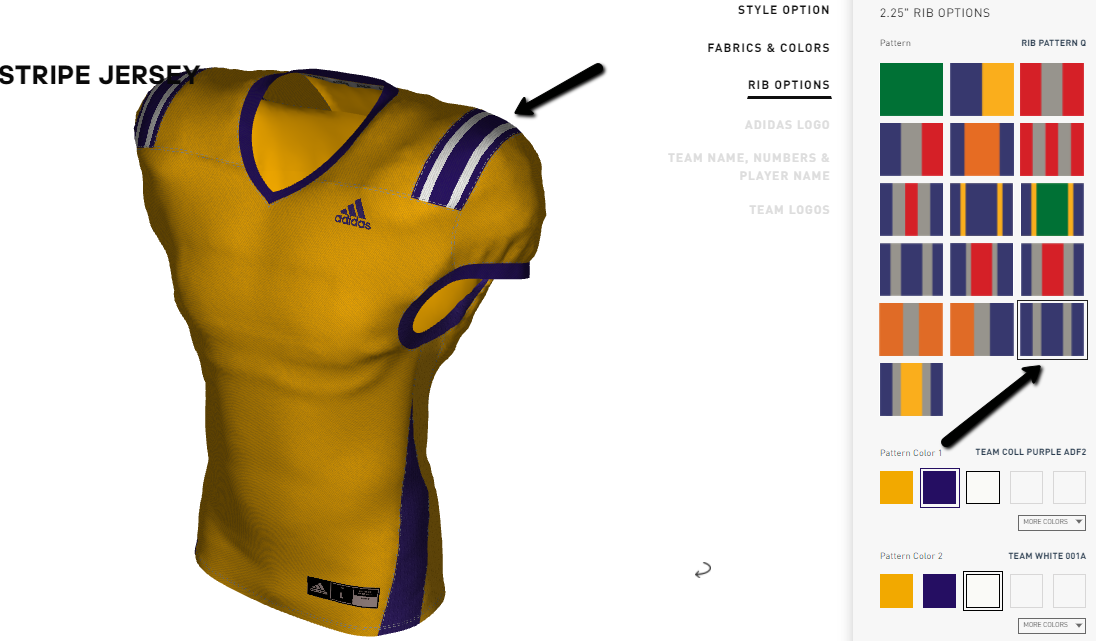
Next, you will have the chance to change the pattern and colors of any rib on the garment in the RIB OPTIONS section. Not all styles contain rib. In the example below, we have changed from Pattern C rib stripes to Pattern Q rib stripes:
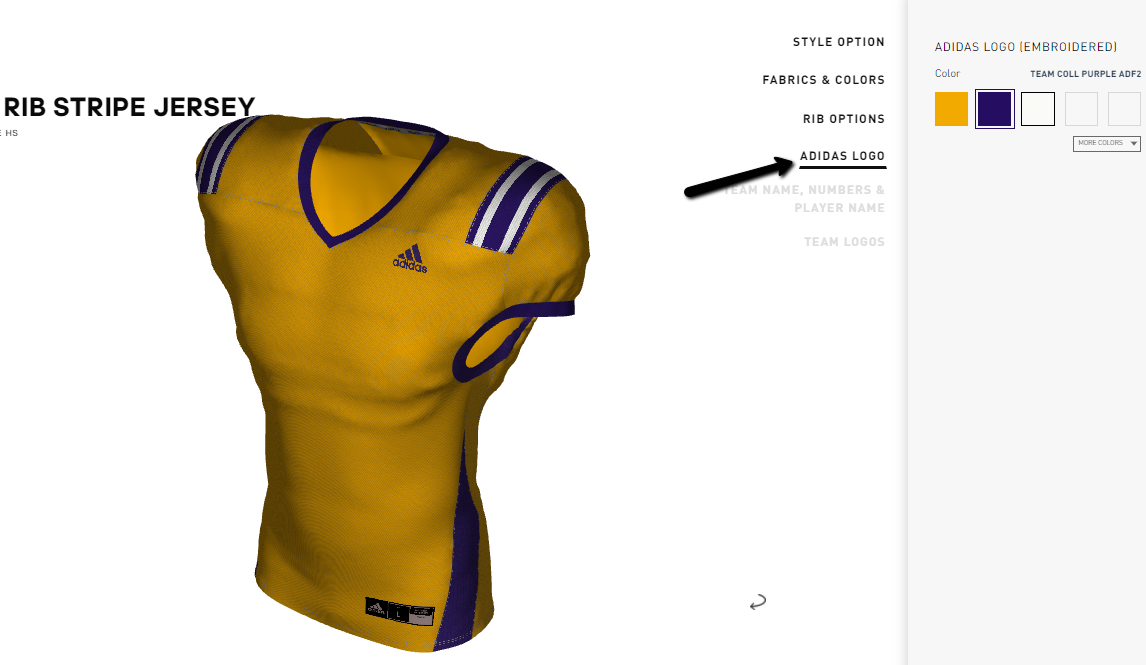
Next, you have the opportunity to select the color of the adidas logo on the garment
Next, you will be asked to select a Decoration Layout. This important decision represents what combination of decoration elements you would like to have on the jersey (front/back number only, team name and front/back numbers, etc)
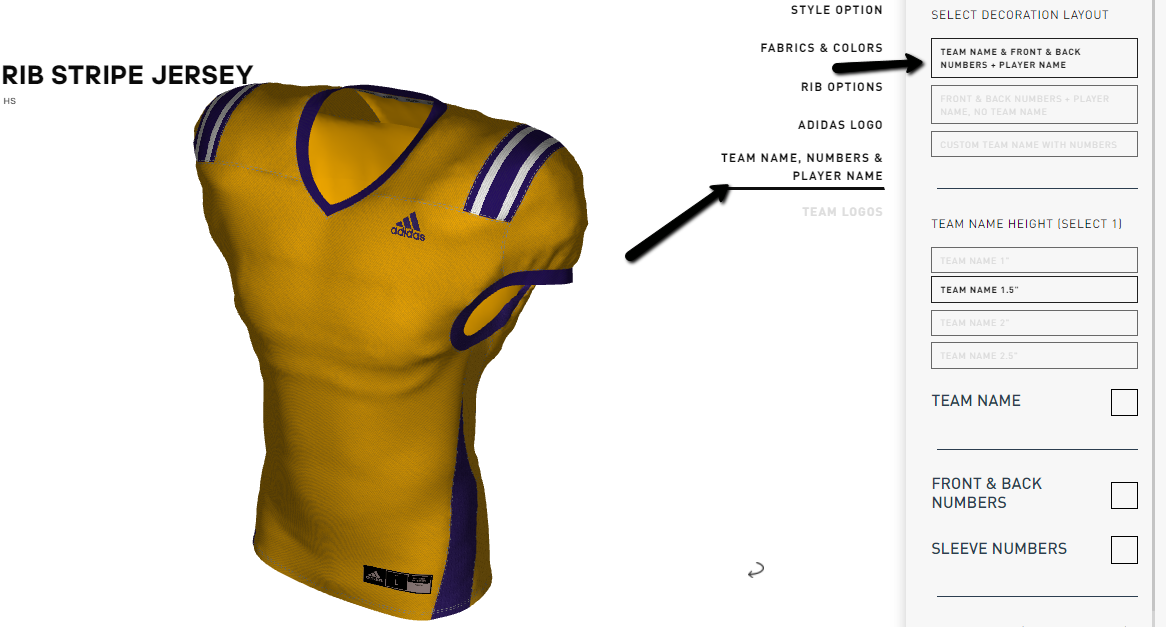
Continue the decoration selection process by answering all elements on the right side of the screen.

Continue designing your uniform by completing the STYLE section for jerseys and pants
- Add your team’s logo by clicking “Add A Logo”.
- Select an image from your library or upload a new image to use on your design
- Select placement for your logo
- Repeat steps 9-12 to add additional logos to your design
Once you have finalized your design, the next step is to create a roster and/or continue with your order quote.
Power Play: If designing a full uniform of both a top and bottom, please begin your design with the uniform top. You will be able to add the bottom style after designing the top.
Comments
0 comments
Article is closed for comments.