How do I add my team’s logo to my design?
Your team’s logos can be uploaded to the system while you are designing your uniform. Simply click the “Add a Logo” button in the designing process
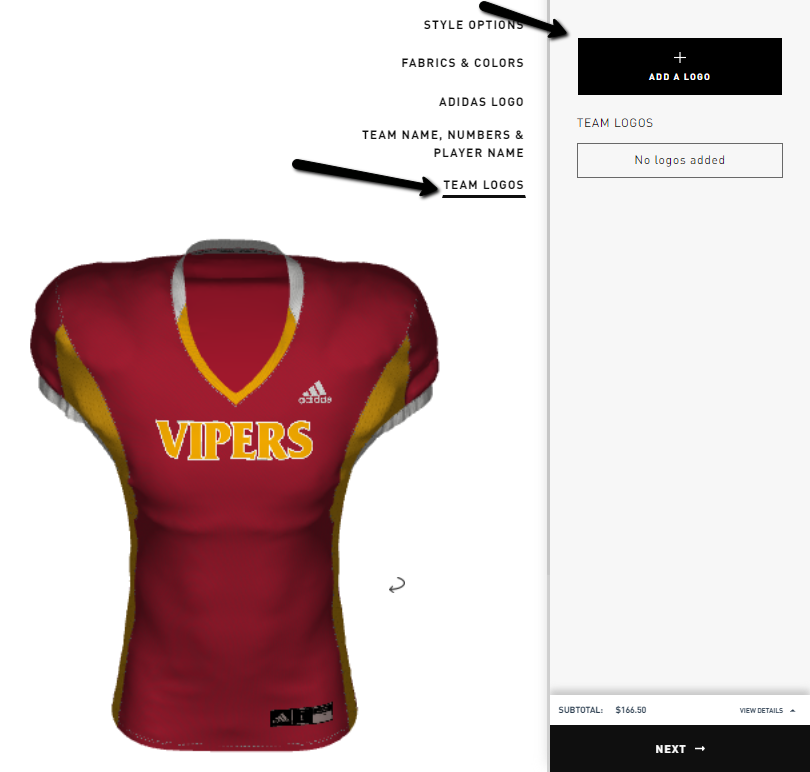
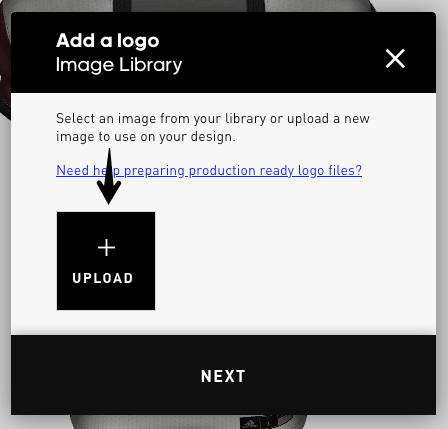
Uploaded team logos will be stored for future use in your Image Library. You are able to view, add, rename and delete any logos you intend to use in your future custom uniform creation. You can also quickly add logos directly to your library without designing uniforms by clicking the Image Library tab on the upper right of your session and then clicking +UPLOAD tile:
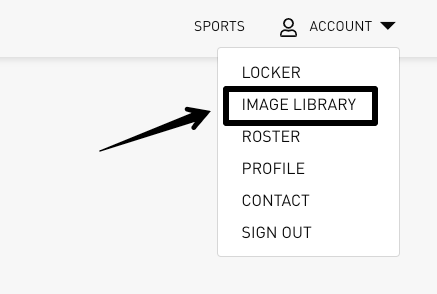
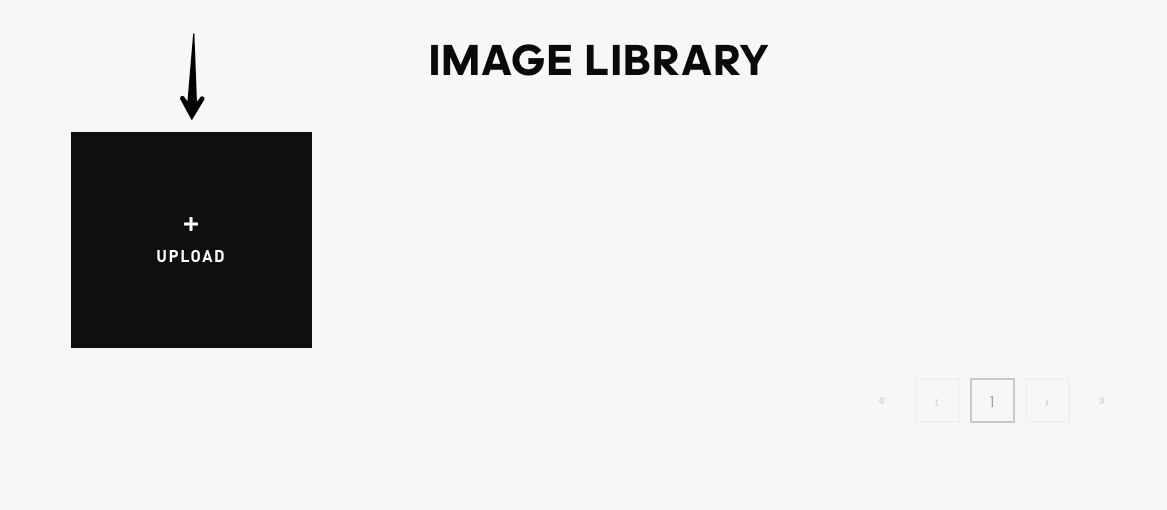
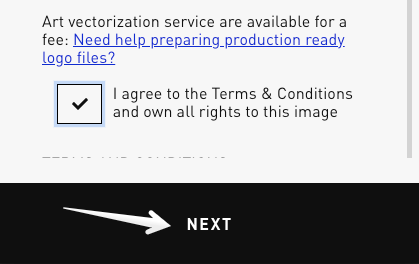
A message will appear listing the logo requirement terms and conditions.
Image Specifications:
- File types: SVG, AI, or EPS
- You may upload a JPG or PNG file for visualization or positioning purposes, but you will need to replace it with a vector-based (AI) image before production. (Please note that our Art Department can create an Art Vector file for your team if you do not have one.)
- JPGs or PNGs without transparent backgrounds will show a white border. - Please make sure that your logo is cropped as tightly as possible and does not have extra margin areas on any of its sides.
- Max file size: 256 MB
Upon accepting, click NEXT and the system will open your recent files on your computer. You can choose one image at a time. Repeat the process to add additional logos.
Can I add multiple designs?
Logos are able to be placed on various parts of your custom uniform design.
During the design process, you will see a “+ADD A LOGO” box, indicating that logos can be added at this point during the design process.
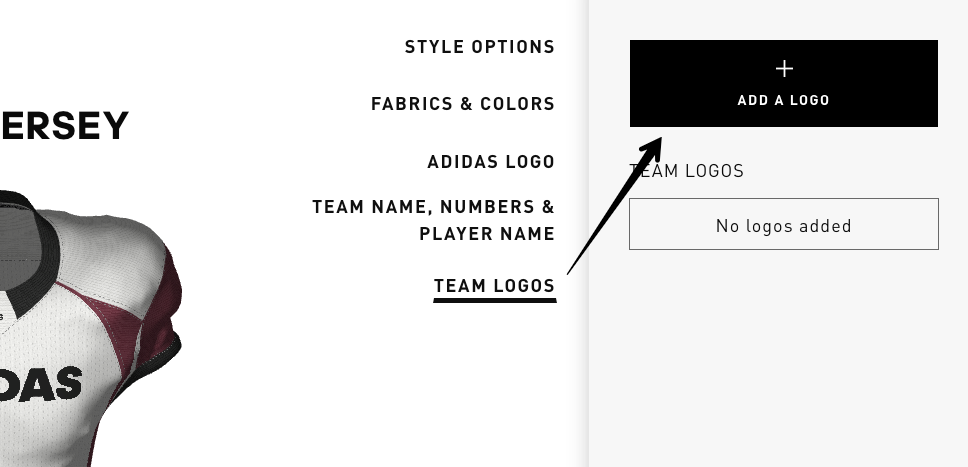
- Click “+ADD A LOGO” tile to pull up your Image Library
- Select an existing logo or upload a new one here
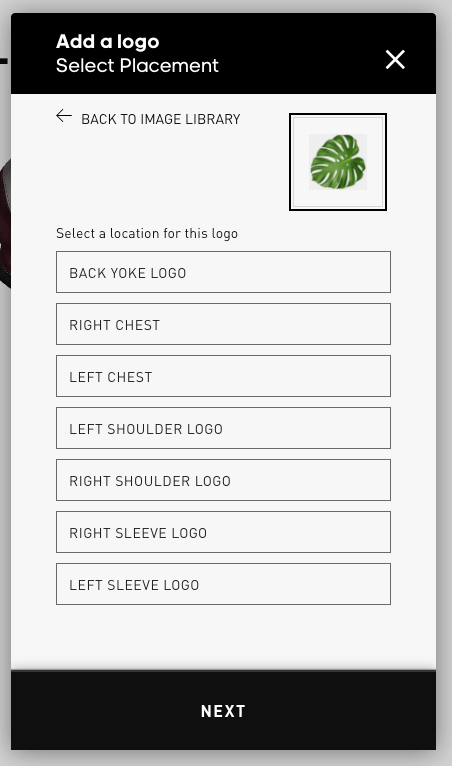
- Once the logo has been uploaded, you will be asked to choose the placement(s) of your logo on your uniform.
- Next, click on the “DETAILS” button where you can adjust the dimensions of the logos and define the material (type) of the logo.
- By default, logos are shown at the maximum dimensions configured per location. If you need a special logo placement, please request "Design Help" on the Finalize Screen.
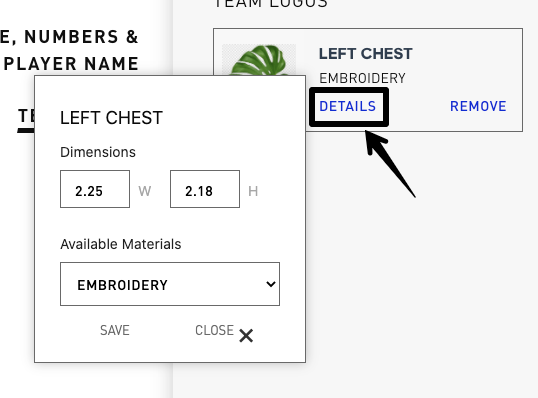
- The logo width will automatically determine the height of the logo.
- Logos in sublimated patch form will be offered if available
- Logos will need to be submitted to adidas Custom as high-quality SVG, AI, or EPS files.
- COMING SOON: Color adjustments to uploaded logos
Power Play: Have Custom fonts for your Team Name? Upload your wordmark in an AI format file to your image library. You are then able to place your custom Team Name onto your design.
Comments
0 comments
Article is closed for comments.